

Photo editing applications spread across the landscape in every direction. Many photographers instinctively turn to Lightroom or Capture One. They become comfortable with those well-known solutions and stop venturing further. A broader view can spark fresh ideas, especially for creators eager to expand their toolkits or maybe even save some money on software.
My personal experience focuses on DxO PhotoLab and Skylum Luminar Neo in this review. They appear similar on the surface, but each holds its own stance on how images should be refined.
I’ll try to move past standard feature checklists. It’s more helpful to consider how each program molds a photographer’s workflow and final output.
These pages examine core design decisions and editing philosophies. By doing so, we see how PhotoLab and Luminar Neo offer different experiences that may resonate with varying genres of photography.
Related: DxO PhotoLab vs ON1 Photo RAW
The Philosophy Behind the Software
DxO PhotoLab has a long history of emphasizing precise corrections and technical accuracy. It arose from a deep interest in optical sciences, which becomes apparent as soon as you open a RAW file and notice the immediate corrections for your specific camera and lens. This environment thrives on exactness and detailed control.
Its heritage carries over into many of its modules, making PhotoLab a favorite among shooters who lean toward realistic color tones and crisp details.

Skylum Luminar Neo, on the other hand, embraces an approach driven by innovative algorithms. It introduces AI-based features that streamline tasks once confined to advanced Photoshop users. You still adjust core settings like exposure and contrast, but a strong focus remains on sparking creativity through quick enhancements. Luminar wants you to explore colors, experiment with light, and add some flair without laborious steps.
PhotoLab might feel more methodical. Luminar Neo often feels more free-spirited. That difference extends beyond interface elements and speaks to a photographer’s mindset during post-processing.
Hands-On Experience: A Day in the Life with Each
PhotoLab guides you through a methodical workflow. You select your RAWs, and the software applies corrections for your exact lens and camera. You notice less distortion and sharper edges as you move through your library and workflow.
Color adjustments feel natural and balanced, but you still have room to fine-tune highlights or shadows. One feature I love is ClearView Plus, which transforms hazy areas by intelligently balancing luminance, saturation, and contrast. Subtlety is key: there is less risk of going too far into artificial territory unless you drag those sliders to extremes.
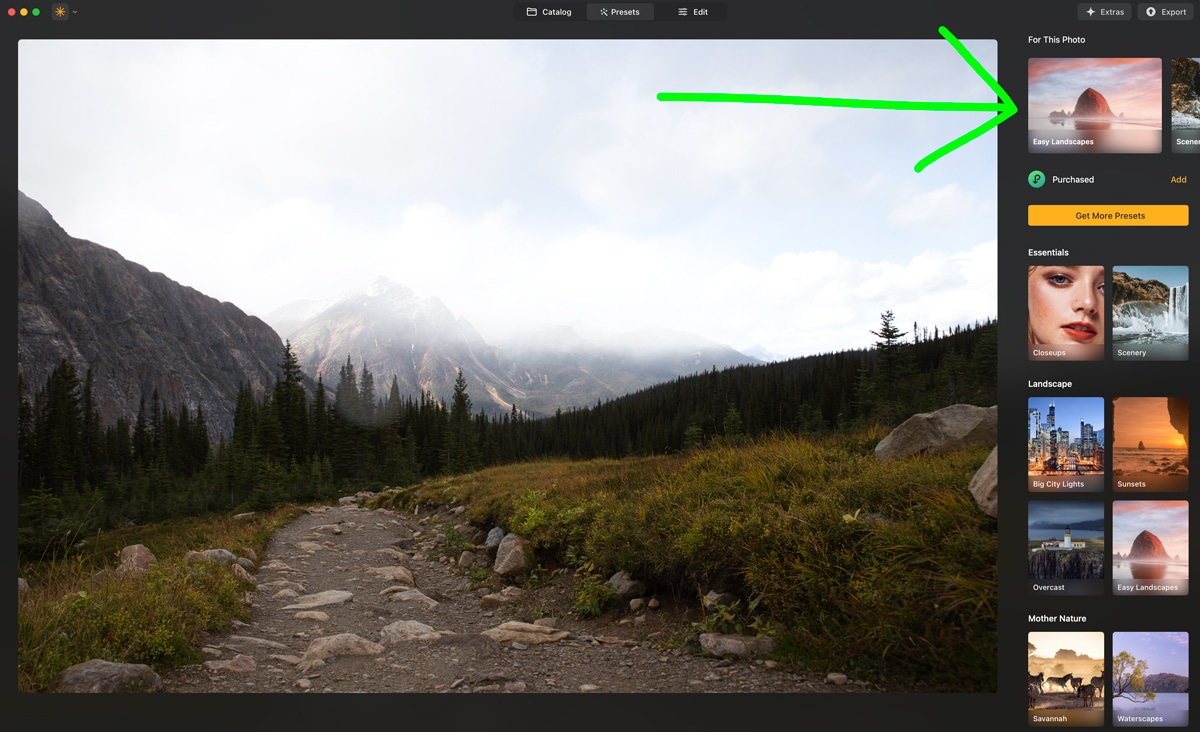
Luminar Neo frames your day with a focus on quick yet dramatic transformations. It has separate sections for Creative work, Landscape tweaks, and Portrait refinements. The Essentials area is also available, covering tasks like cropping and color correction.
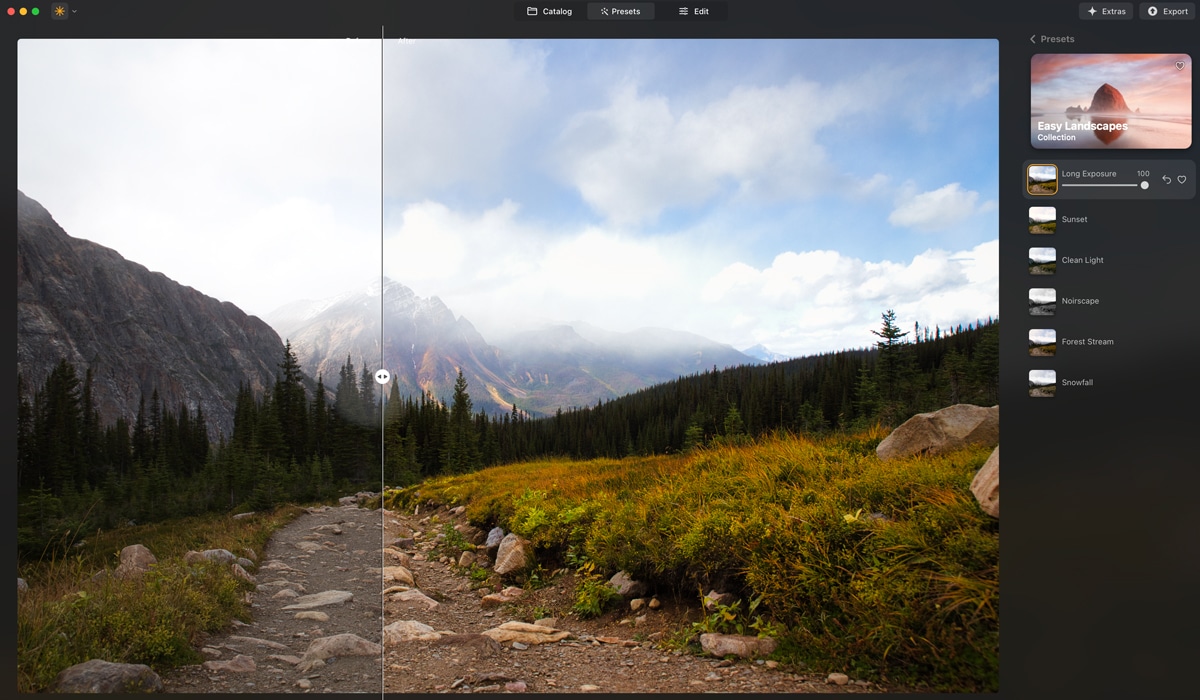
One moment, you could be altering a dull sky with a single click. Next, you might be adjusting the overall mood through AI-powered color harmony. This speed can be refreshing, especially if you’re eager to post a striking shot right away.
There’s also a particular playful element in Luminar Neo’s user interface. You see large icons for advanced tasks, which encourages experimentation. However, that same immediacy can occasionally lead to confusion about which controls produce the exact effect you want.
PhotoLab, by contrast, feels more predictable once you learn the layout. Still, no software is immune to user interface quirks, so expect small hurdles whichever path you pick.
This fact remains vital for many photographers: DxO PhotoLab does not include layers, whereas Luminar Neo does. That alone can sway photographers who need extensive composite work or prefer a Photoshop-style approach to layering multiple elements.
Key Features Through a Creative Lens
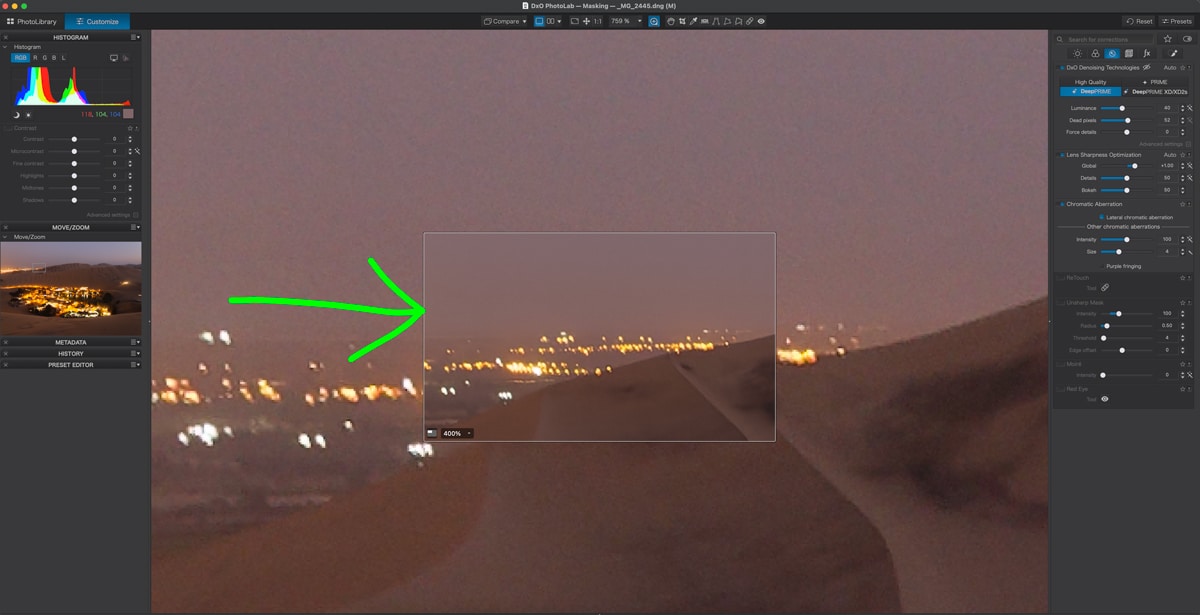
PhotoLab’s prowess in technical correction stands out. High ISO shots benefit from noise reduction engines named PRIME and DeepPRIME. You open a RAW, press a button, and watch as deep luminance noise fades without wrecking detail. The lens corrections remain unmatched in many circles. That devotion to precision extends to color profiles, which keep a neutral foundation while letting you push or pull colors to your liking.
Luminar Neo aims to spark imaginative visions. Its AI modules facilitate tasks like sky replacement or portrait enhancement. A drab skyline might turn into a dramatic sunset with minimal effort.
I personally started with HDR when I first started learning landscape photography. The Landscape tools in Luminar Neo are phenomenal and help bring out vivid colors like HDR photos do. I should mention that you can also merge bracketed photos in Luminar Neo, whereas this feature is lacking in the most recent version of PhotoLab 8.
In portrait retouching, you can lighten eyes or smooth skin rapidly, even if you lack advanced editing experience. Some would argue that this fosters short-term gratification at the cost of deeper mastery. Others say it frees them to focus on expression rather than time-consuming tasks. I don’t shoot enough portraits to complain; I’m just glad there is an option for portrait AI retouching.
Each method can be a growth opportunity. PhotoLab’s complexity provides a foundation for mastering nuanced edits, while Luminar’s quick transformations can inspire new ideas. It’s more a matter of style and preference than an absolute right or wrong.
Price
Cost remains a factor. Luminar Neo is a decent deal at $120, while PhotoLab’s $230 perpetual license can be off-putting for casual photographers. This alone can tip the balance.
DxO camera and lens profiles rank high in the industry and create remarkably sharp images, but they don’t currently cover every mobile device, such as the most recent iPhone models. New DSLR and mirrorless profiles keep getting added.
Making the Call: Beyond the “Versus”
Deciding between these two doesn’t come down solely to an itemized list of tools. Some photographers value authenticity and find PhotoLab’s corrections well-suited to that goal. Others crave bold changes that breathe life into average images. In that case, Luminar Neo has an intuitive approach that sparks the imagination.
It’s also helpful to consider how your photographic journey could evolve over time. If you anticipate branching into advanced layer work, keep in mind that PhotoLab doesn’t support layers at all, while Luminar Neo does. If your main interest lies in daily color correction and fine detail, PhotoLab offers a strong environment for that.
Summary
Exploring PhotoLab and Luminar Neo shows just how far photo editing has come. PhotoLab leans on its heritage of precise, technical refinement. Luminar Neo focuses on quick transformations driven by AI. Both have a place in a photographer’s digital darkroom.
If you gravitate toward subtle tonal shifts and advanced lens corrections, PhotoLab might feel like a second home. If you enjoy pushing colors and atmospheric effects to new territory, Luminar Neo offers an exciting playground. Both programs shape the creative process in profound ways. It’s often about which one aligns with your personal workflow rather than picking a universal winner.