

Last updated on July 27th, 2025 at 05:36 pm
I believe photo editing software often reflects the mindset and goals of its creators. Darktable and Skylum Luminar Neo are no exception. One is driven by a global community of developers who enjoy tweaking code and building things for the sake of sharing. The other comes from a commercial team that wants to bring photo editing to as many people as possible without requiring them to read a manual first.
Darktable doesn’t cost a cent. It’s free, open-source, and works on Mac, Windows, and even Linux. That last one alone earns it some street cred. It’s loaded with tools, maybe too many, and it doesn’t hold your hand. If anything, it stares blankly while you fumble through modules, wondering what each one does.
Luminar Neo, on the other hand, is built to be fast. It’s designed for quick edits and powered by AI that steps in and makes suggestions or even takes control. It’s commercial software with a price tag, but what you pay for is less guesswork. It’s the difference between assembling furniture with an Allen key and snapping pieces together with magnets.

Why It Matters to Hobbyists
For anyone just getting into photography, post-processing can feel like the awkward middle child between shooting and sharing. You know your photos could look better. You also know you don’t want to spend an entire afternoon clicking things that say “tone equalizer” and “channel mixer.”
The learning curve is one of the first things new photographers bump into. Darktable doesn’t hide its slope. In fact, it leans into it. You’ll probably need to watch a handful of YouTube tutorials to get the hang of it. Some users even end up watching videos just to figure out how to export a file.
Luminar Neo tries to avoid that problem altogether. Its layout makes sense, its tools are labeled in plain English, and the AI features do a decent job of handling the heavy lifting. If your goal is quick, shareable images with minimal frustration, this is the easier road.
There’s a common belief that one of these is strictly for professionals. That’s not really the case. Both programs are accessible in their own way. Darktable just asks more of you upfront. It doesn’t mean you have to be a pro to use it; it just means you need some patience. Luminar Neo feels more like a shortcut, but not in a bad way. It’s the kind that gets you to your destination faster without skipping the important stuff.

Workflow Deep Dive
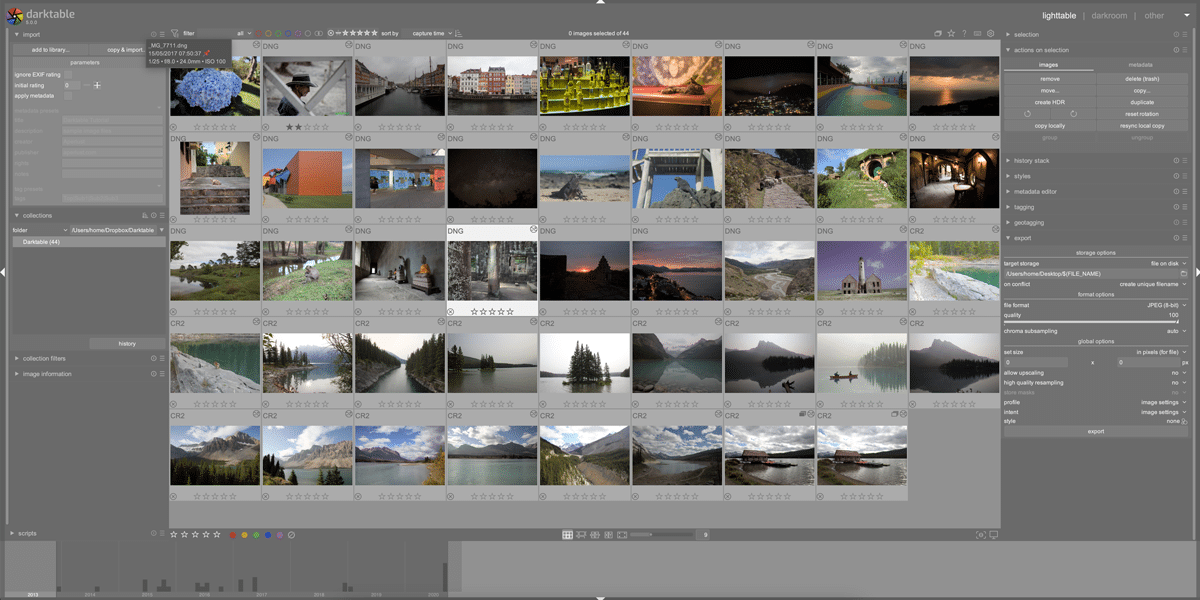
Darktable splits things into different areas: Lighttable for organizing and Darkroom for editing.
It sounds logical, and it is, but it doesn’t always feel that way. Modules are everywhere. Some do the same thing as others. That redundancy can be confusing. There’s no single path through an edit. It’s more like walking into a hardware store where every tool ever made is available, but none of them come with practical instructions.
Still, that flexibility is valuable. You have total control over the editing process. Want to stack multiple modules? Go for it. Want to fine-tune local contrast on just the shadows in the background? You can. It’s just going to take time to learn how.
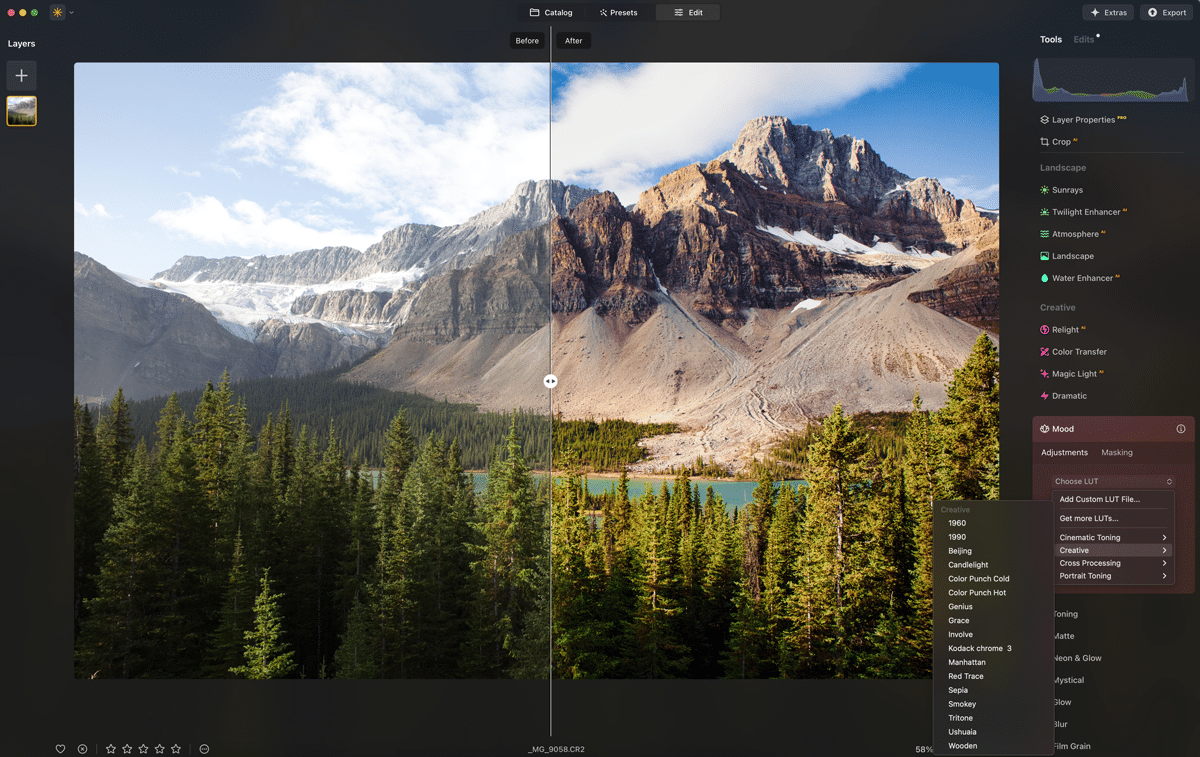
Luminar Neo is built differently. The entire interface is unified. You open an image, and most of what you need is right in front of you. There’s no digging. AI enhancements like Sky Replacement and Portrait Retouch are front and center. You get results quickly, sometimes surprisingly so. It feels like having a digital assistant that’s already familiar with your favorite style.
If you want fast editing, choose Luminar Neo. There’s less clicking around and more immediate gratification. For someone new to all of this, that kind of workflow is encouraging. You don’t feel like you’re falling behind or doing it wrong.

Philosophy & Design Ethos
Darktable is fueled by open-source ideals. Anyone can download it, anyone can modify it, and it lives outside the world of licensing fees and subscriptions.
Its interface reflects that mindset. It’s not flashy. It’s functional. There’s a kind of pride in how unapologetically nerdy it is.
That means freedom. You can customize the layout, reorder modules, even contribute to the development if that’s your thing. It rewards people who enjoy tinkering. If you’ve ever built a PC or flashed custom firmware on a camera, you’ll probably appreciate Darktable’s DIY attitude.
Luminar Neo feels like it was built for everyday photographers who want strong edits without technical complexity. It’s commercial software, sure, but it doesn’t feel corporate. It feels finished. The interface is clean. The tools are where you expect them to be. More importantly, it doesn’t rely on the user knowing what every slider does. The AI jumps in with suggestions or auto-applies effects that actually look good.
That approach makes editing feel less like a chore and more like play. You’re encouraged to try things without worrying you’ll mess it up. You can always undo it, and the software often gives you a solid starting point to build on.
Creative Tools & Inspiration
This is where things get interesting. Darktable is like a garage full of equipment. You have access to advanced color grading tools, complex masking systems, and film emulation modules that let you chase vintage vibes without needing actual film. There’s power here. But it asks for patience.
Some of the tools overlap. That’s part of what makes Darktable harder to learn. You might have three different modules that all adjust contrast slightly differently. It’s not always clear which one to use or when. But once you figure it out, it becomes an environment where you can build your own style from scratch.
Luminar Neo goes the opposite route. It gives you a curated set of tools that lean heavily into creativity without requiring technical finesse. AI Portrait Enhancer, Skin Smoothing, Sky AI—these aren’t buried under menus. They’re right there, inviting you to click.
The Final Word
Darktable is the best free Lightroom Classic alternative. If you’re looking for something that offers the same level of control without the price tag, this is the one. But it won’t hold your hand. It expects you to read the manual, watch tutorials, do a bit of trial and error, and commit some time. For those willing to dig in, the payoff is enormous as it’s free software.
Luminar Neo is easier to pick up. Its AI-supported workflow means you can get results even if you’ve never edited a photo before. You’re not wrestling with the software. You’re working with it. That’s a big deal if your goal is to spend less time editing and more time shooting.
Darktable also has stronger image management tools than Luminar Neo. If you’re working with thousands of RAW files and need a smart way to organize them, it delivers. Luminar Neo technically includes DAM features, but they’re not as polished or powerful. It’s fine for smaller catalogs but less ideal if you’re juggling multiple shoots or years of archives.
At the end of the day, both Darktable and Luminar Neo can make your photos look better. They just take different routes. One is free and open, full of knobs to turn. The other is smooth and smart, ready to deliver good edits fast. Try both if you’re curious.