

Last updated on September 25th, 2026 at 01:11 am
Bottom Line: You’ll need to use WordPress (free) and buy a hosting plan to start a profitable blog. Beginners can start a blog for under $100. Furthermore, blogging isn’t dead, but it is dying. To make money while blogging, you need to expand your traffic streams beyond search engines, and I’ll tell you how.
Imagine yourself editing stunning sunset photos from yesterday’s hike while sipping a fresh avocado and dragonfruit smoothie at a beach café in Bali. Sounds dreamy, right? But it’s possible, and you don’t need to be a marketing guru.
Forget those free webinars that try to sell you $1,000 courses and mislead you into thinking you can earn $100,000 per year. I’ve got you covered here, free, with realistic expectations.
Yes, this blog has affiliate links (you’ll soon have them too) that earn commissions, but the goal is to help you earn enough to sustain your wanderlust.
I’ll cover the basics of starting a blog, plus more advanced topics, including promotion and monetization. You shouldn’t have to spend more than $100 to make a blog. It’s a slow and long process. You’ll need to commit long-term to make money blogging. Step 6 is the most important.

Step 1. Choose Your Niche & Angle
A niche is a clear topic, while your angle is the distinctive way you approach it.
Perhaps it’s budget travel or van life around Canada. Maybe you’re blogging about digital nomad life with a family of four plus a fur baby.
Whatever you choose, passion matters most, but expertise and profitability follow closely. Be real about longevity: will you love this topic in five years?
Think about what you know. Airline loyalty programs, travel hacks, etc.? Solve the reader’s problems, like crafting detailed itineraries or saving money on flights.
Furthermore, you don’t have to religiously stick to your niche—I definitely don’t. This is called niche bending: writing about topics beyond your main niche. It’s easier to niche bend when you’re a personable brand.

The downside is that travel blogging is saturated, and blogging in general. And though the travel blogging niche is probably what comes to mind for most readers of this post, you can blog about nearly anything, including finance, health, or parenting.
You might have to narrow your topic further. Maybe focus on accessible travel or traveling with pets.
Mini-Checklist (sanity check):
- Passionate enough?
- Know enough?
- Profitable enough?
Step 2. Name Your Blog
Your blog name matters.
Make it memorable, easy to spell, relatable, and flexible. If possible, ensure a “.com” domain is available since readers subconsciously view this top-level domain as authoritative. Check domain availability through Namecheap, brainstorm ideas using a thesaurus or ChatGPT, and confirm that social media handles are available.

My blog, Aperlust, combines Aperture and Wanderlust.
I use Namecheap for purchasing domains; they’re usually under $15/year. They’re affordable, easy to use, and offer free domain privacy, which keeps your personal information confidential so spammers and hackers can’t look it up on Whois.
And yes, I have more than one domain. I like writing code, so I have a few websites. But let’s just focus on blogging.
Step 3. Platform Choice: Why WordPress Wins
Alternatives exist, such as Squarespace or Wix, but WordPress stands out for its affordability, complete control, extensive plugin and theme options, and greater freedom to monetize.
I use WordPress for this blog.
WordPress.org vs WordPress.com (you have to understand this part)
WordPress.com is primarily a hosting platform that lets you create a free WordPress website using a subdomain, such as yourname.wordpress.com, with the option to buy your own domain and host your own website.
On the other hand, WordPress.org lets you download and install the software, read the official documentation, and fully customize WordPress.
The free of WordPress.com is only for the occasional blogger.
Millions of free WordPress.com websites are probably abandoned. I need to mention again that you can buy and use your own custom domain on a WordPress.com hosting plan, but there are technical limitations.
You’ll have to pay extra money to install some third-party plugins, which are often required to run a successful WordPress blog.
If you want complete control over your website and greater profitability, it’s better to use WordPress.org and self-host.
In the long run, it’s more cost-effective to host your own WordPress blog, since the WordPress hosting market is competitive.

Speaking of hosting, it matters a lot. Premium hosts like Kinsta or WP Engine offer speed and security.
I currently use Hostinger for Aperlust, and they also include a one-click WordPress installation. Their Premium plan costs $2.99/month. You can use my coupon code, APERLUST, for 10% off Hostinger.
Many WordPress hosting plans offer a free domain. Though convenient because you don’t have to take the extra step of pointing your domain to your server, avoid this option at all costs; for security reasons, you don’t want your server and domain under the same account.
Additionally, the domain cost is non-refundable for hosting plans that offer a money-back guarantee. Nearly all hosts and domain registrars provide free resources for pointing (DNS) to a server.
Budget options like Bluehost or SiteGround are popular but may sacrifice performance due to shared hosting (server resources are shared with other users). I’m using the Hostinger Cloud Enterprise Plan, which isn’t cheap at $29.99/month. But their entry-level Premium WordPress shared hosting plan is a decent start since most of you reading this don’t have website traffic.
Related: Hostinger Review
Bluehost is super cheap, often starting at $2 per month on a three-year plan, and extremely popular among new bloggers who are unfamiliar with turning a blog into an income stream. Many bloggers and YouTubers recommend Bluehost as the best WordPress host to earn a potential commission.
Even I’m a Bluehost affiliate, I would also earn a commission.
This is not to say Bluehost doesn’t have its place in the blogging sphere. Their price point is great to see if blogging is right for you. You can always change WordPress hosts later. If you’re really interested in Bluehost’s pricing, you can find instructions for installing WordPress here.
Note: The hosting plan prices mentioned above are usually for 36 or 48-month plans. This will make your blog start-up costs over $100. Instead, choose a 12-month plan; your monthly cost will be $1 or $2 more, but still under $100 per year. Shared hosting is enough for a new WordPress blog; that’s how I started. You only need cloud hosting or dedicated server resources when your blog has significant traffic: i.e., more than 1,000 unique visitors per day.
You’ll also need a WordPress theme or template. These are pre-built page designs that are ready to go.
Fast, customizable themes include GeneratePress (fast and simple, used for this blog), Divi by Elegant Themes (drag-and-drop, but a bit heavy, used on my other websites), and Blocksy (lightweight and Gutenberg-friendly). However, to keep your initial blog costs below $100, use a free WordPress theme.
Rank Math (for SEO, more on this later) and Perfmatters (speed) are my go-to plugins.
When initially starting a blog, I advise against paying for premium plugins until your blog starts getting traffic. Your main costs will be a domain and hosting.
Remember that WordPress and third-party providers also offer free themes. It’s just that premium themes are pre-built or highly customizable, allowing you to achieve the brand design you want.
Step 4. Core Pages & Initial Content Plan

Start with essential pages: Start Here, About, Contact, Privacy, Terms & Conditions, and a Resources/Tools page—a goldmine for affiliate marketing.
Your content should mix evergreen guides, current trends, and monetizable reviews or tutorials. Aim for one detailed, useful article monthly, supported by smaller helpful posts.
Evergreen content, which remains relevant and accurate over time, can attract a large audience to your blog.
Make your blog personable. Your persona is the brand. Providing real-life experiences or anecdotes will help readers relate to you. You should also understand color theory and how it represents your brand.
Since my blog is in the travel photography niche, I review photography equipment and software and share personal experiences, especially from the Galapagos Islands, where I’ve been three times. I wrote this blog post from Colombia and will continue refining it elsewhere.
Step 5. SEO (But Don’t Marry Google)

SEO encompasses keyword research, content optimization, internal linking, and site speed optimization.
However, Google’s Helpful Content Update (HCU), AI Overviews (AIO), and AI modes complicate rankings. There’s less real estate in Google search results for blogs to appear. Even my website suffered a significant decline in traffic from Google Search, which is why I now focus more on social media and my YouTube channels. Yes, I have more than one channel.
Instead, write genuinely helpful content that targets specific searches and provides detailed experiences. Diversify your organic traffic beyond Google, which we’ll discuss next.
Step 6. Multi-Channel Blog Promotion: Social + Video

YouTube, although owned by Google and Alphabet, remains a huge platform and the second-most-popular search engine behind Google Search. ChatGPT is third but may surpass YouTube.
Repurpose blog posts into tutorials, gear reviews, or vlogs. Instagram and TikTok offer short, engaging content. Pinterest still drives traffic, despite being overloaded with repetitive AI slop. Build relationships in communities on Facebook, Discord, or Reddit.
I sometimes create one Instagram reel and share it on TikTok and YouTube Shorts, saving time and boosting user-generated content (UGC).
Step 7. Build & Nurture an Email List
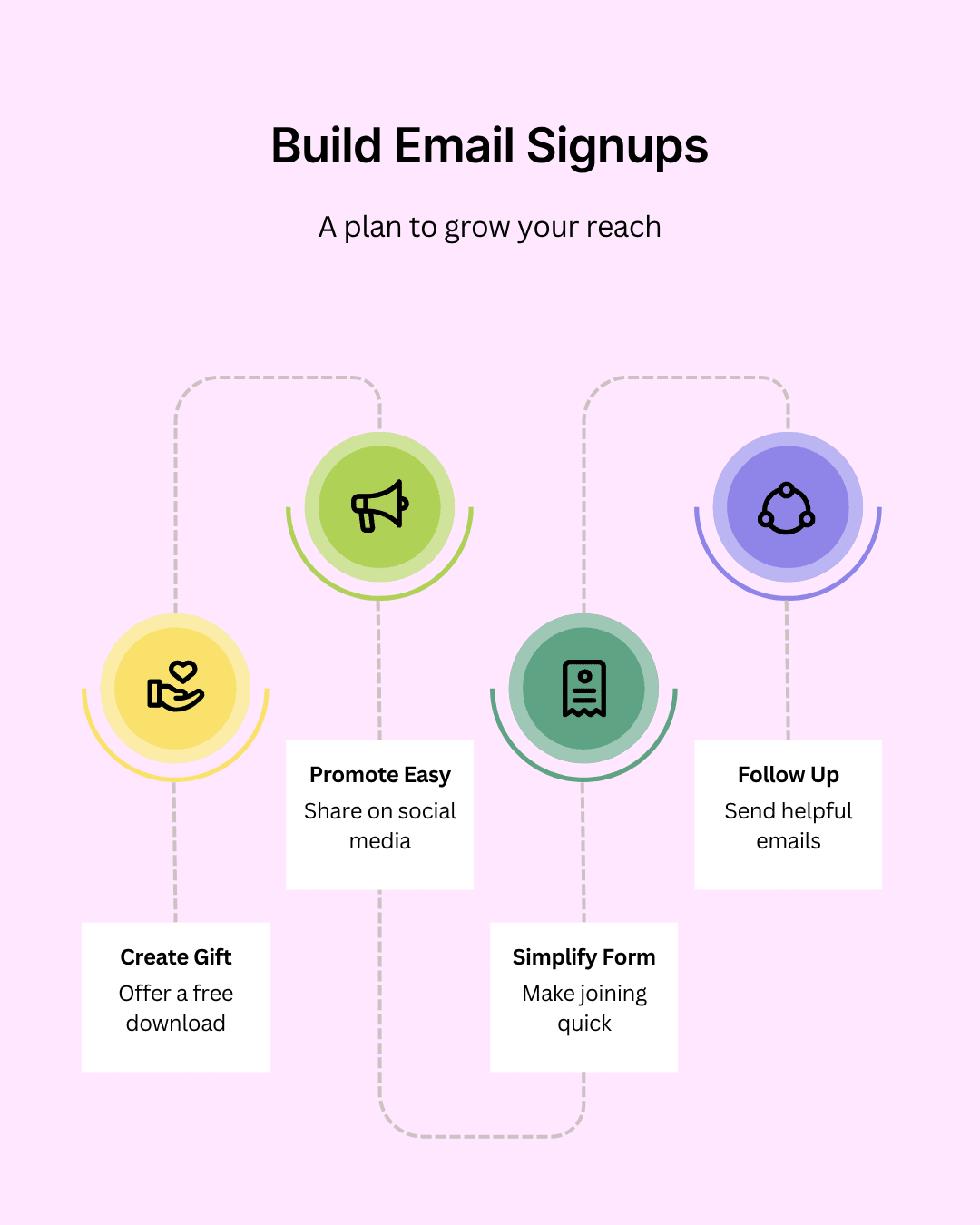
Your email list is entirely yours—no platform algorithm can take it away.
Offer valuable freebies, such as checklists or mini-courses, to enhance your brand’s value. ConvertKit, MailerLite, or Beehiiv are great tools. Start with a welcoming email, regularly provide valuable resources, and then gently introduce monetization through products or affiliates.
Learn how to build an email list and create a compelling newsletter.
Step 8. Monetization Stack
Display ads through Mediavine or Raptive once traffic increases—but keep them minimal so they don’t look spammy and your readers don’t press the dreaded back button. It’s more natural to incorporate visual or textual ads within your posts, as I do, and avoid using ad networks.
Affiliate marketing works best when it’s natural. Recommend products genuinely, such as camera gear, travel insurance, or offer your own promotional services.
I test different layouts and compare them against my blog’s speed, so I sometimes have a sidebar with image ads.

Amazon Associates and the Amazon Influencer Program are beginner-friendly and reputable. If you buy products from Amazon, then reviewing them on your blog or YouTube shouldn’t be hard. They pay a small commission, ranging from 1% to 10%, with an average of about 3%. It’s always better to promote high-ticket (expensive) products to receive a higher dollar-value commission.
Affiliate networks like Impact, CJ, and Awin are also great. I’m affiliated with all of these for photography and travel products.
Digital products, such as Lightroom presets, ebooks, or online courses, can generate income.
However, I really dislike online courses that exploit people’s emotions and promise students they can earn $10,000 a month. Avoid buying these courses and steer clear of predatory practices.
On the other hand, I do offer free photography software courses on my YouTube channel.
Sponsored partnerships with brands or tourism boards can generate additional earnings. YouTube’s monetization options include ads, memberships, Super Thanks, and affiliate links in video descriptions. Instagram allows you to monetize your content through sponsored posts, stories, or digital product sales.
Map each blog post to a monetization channel to maximize earnings.
Step 9. Systems, Analytics & Scaling
Utilize Google Analytics 4, Google Search Console, affiliate dashboards, and email analytics to monitor traffic, potential revenue, and actual earnings.
Set clear procedures for publishing, repurposing content, and outreach. Outsource repetitive tasks like editing or writing when affordable.
Below are my monthly earnings from Topaz Labs (a photo and video software company). The amount earned is not substantial, and you may even earn zero in a month. However, remember that this is just one of the affiliate programs I am currently involved with. Multiply that by X, and you’ll earn a lot more money. As always, affiliate programs also provide statistics to track clicks or traffic generated by your affiliate links.
I used to earn over $500 a month solely with Topaz Labs, until Google reduced some of my traffic. This is why it’s essential to diversify your traffic and revenue streams, much like a well-diversified investment portfolio.

Final Thoughts
Earning an income from blogging is challenging; you must commit fully. You should still work a part-time or full-time job while you establish your blog and start generating revenue.
The real deal: expect minimal to no earnings in year one. A realistic goal is to achieve at least $100 per month within one year and $1,000 per month by the end of year two. If you can create viral social media content, you can reach these earnings faster.
Quick tip: In affordable countries like Thailand or Colombia, $1,000 monthly is comfortable—$2,000 feels luxurious. Be open to staying in hostels for a few weeks or in shared accommodation for a few months each year to reduce living expenses. These are the countries your blog will send you to.