
Last updated on November 3rd, 2025 at 12:25 pm
DxO FilmPack Review TLDR: FilmPack 7 is more than a preset; it truly emulates analog film to allow modern photographers to achieve the nostalgic and fine art moods of the past. The quality of the reproduction is a testament to DxO Labs’ R&D efforts in producing true-to-life historic films, including those from Fujifilm, Kodak, and Polaroid.
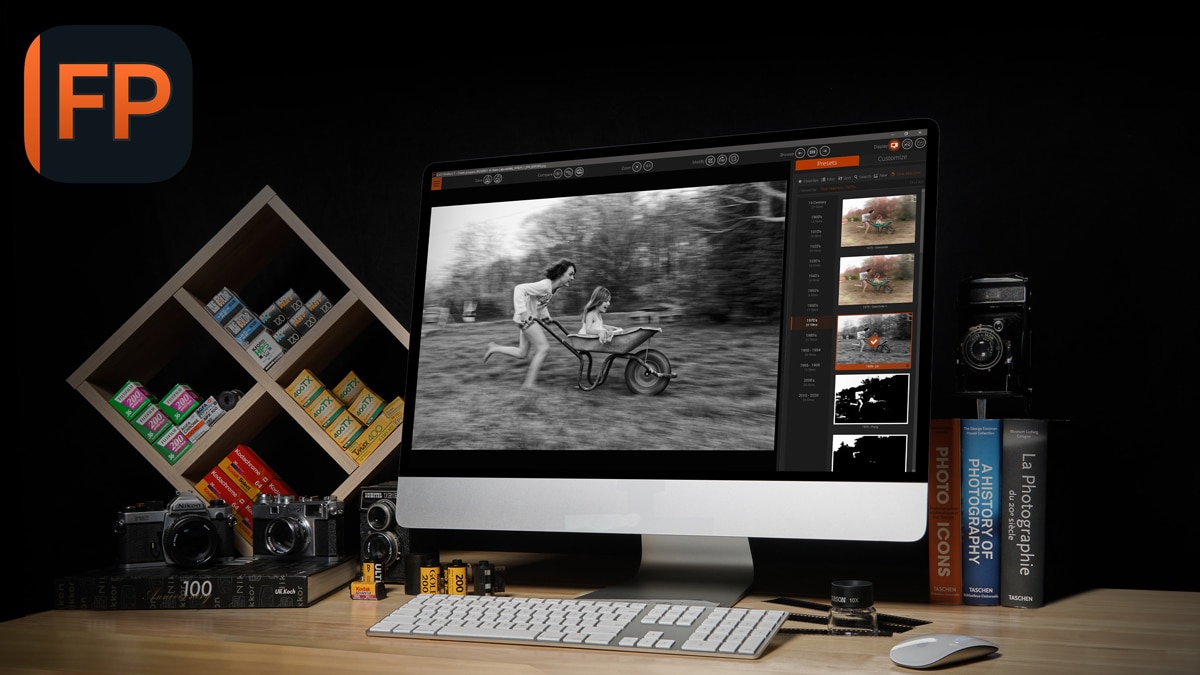
Photographers often crave that nostalgic feel of analog films. There’s a certain depth and charm in old film photos that cemented the legacy of the most famous photographers in history, something that digital shots sometimes struggle to capture. That’s where DxO FilmPack 7 enters the conversation. It’s a photography application designed for digital film emulation and creative filters.
I’ve been testing FilmPack 7 recently. The transformation felt strangely comforting, as if I’d unearthed some hidden magic inside my images, rather than the high saturations I’m used to. Now that I have a little bit more experience with it, I’ll give my take on this DxO FilmPack review.
My purpose here is to examine if FilmPack 7 is a must for day-to-day photo editing and see if this release is something you should consider. I’ll talk a bit about the film simulations, features, and the overall experience. As someone who’s tried different software options, I also plan to weigh in on the pros and cons and then wrap it all up.
DxO FilmPack Review

What’s New in FilmPack 7
One of the highlights is the expanded set of film simulations. FilmPack has always promised an analog feel, and the developers claim that more than 80 high-fidelity analog film renderings are now available. For those who enjoy specialized black-and-white film grains or vivid color negatives, that’s an extensive number.
Each rendition aims to bring depth to highlights, shadows, and mid-tones in a way that mimics the look of genuine film prints. Many online reviews I’ve read say they see a difference in how their images pop, especially with subtle variations in saturation.
Color grading and grain adjustments feel more refined in this new release. I tried a handful of older photos that needed a little mood infusion, and the vintage film profiles did surprise me. The software might take a moment to apply specific effects, but once it does, the outcome is quite immersive.
Individuals who prefer black-and-white with heavier grain should see improvements in texture, while those who lean on bright color renditions might spot nuanced tones in skin or background details.
The official stance is that FilmPack 7 works with Adobe Photoshop, Lightroom Classic, Photoshop Elements, and DxO PhotoLab, but it also runs independently. I toggled between the standalone version and a plugin approach with Lightroom Classic. Both methods were comfortable for me, so it depends on how you like to organize your workflow.

Key Features in Detail
FilmPack 7 stands on its analog emulation background. Factoring in that it profiles actual film in specialized labs, there’s a real push for fidelity. The data behind each simulation comes from a thorough process of capturing shots with carefully calibrated targets and real-world subjects. These film rolls are developed by reputed processing facilities such as PICTO and Arka Lab in France and Duggal in the United States.
Afterward, they’re digitized at high resolution so that grain textures and color responses can be measured and reproduced. Thus, we end up with a software tool that attempts to replicate the hallmark tones, hues, and grain profiles of well-known films.
Another aspect is customization. After selecting your chosen film stock, you can still tweak various settings. You can go heavier on grain, dial back saturation, or shift contrast to match personal preferences.

I sometimes like to reduce the default grain, especially if I’m editing an image with a lot of fine detail. You can also alter highlights and shadows, making it exceptionally adaptable for different photography styles.
The creative extras include certain filters, frames, and color tints that can further stylize pictures. You might pick a dramatic, moody look or keep it gentle for a nostalgic vibe.
FilmPack is handy for portrait sessions (though I’m not well-experienced with portrait photography), but I’ve also experimented with nature and cityscapes to add a retro charm. Some photographers might find these extras gimmicky, while others appreciate the speed they bring to achieving a completed look without extra steps. Either way, they’re there for those who want to experiment.
One feature that intrigued me was the Time Machine. This option is a specialized workspace that offers a chronological journey through film history. You pick a decade or specific film era, and the software proposes relevant stock choices. I found it entertaining to see how certain older films would reinterpret a modern digital shot. The results can be dramatic or subtle, depending on your tastes. It’s a fun way to discover a look you never knew you wanted.

FilmPack 7 also impacts DxO PhotoLab by activating a Luminosity Mask feature. This addition becomes available once FilmPack is installed. I’ve used luminosity masking in various editors, and the concept is powerful for refining exposures in targeted zones, especially high-contrast skies.
Having that capability right inside DxO PhotoLab is valuable for anyone who likes to fine-tune brightness and contrast in specific parts of an image. However, I wish luminosity masking was a standard in DxO PhotoLab without an extension software.
Pros and Cons
Sometimes, it’s easy to get caught up in the hype, so I’ll address what feels genuinely positive and what might be less appealing.
On the bright side, I’m impressed by the film authenticity and the work DxO puts into real-world lab testing for FilmPack’s film emulation. It’s gratifying to see how specific black-and-white profiles differ from each other in more than just color or contrast. Some look gritty and raw, while others appear smoother and more elegant.
The biggest drawback is the price, and not every photographer is interested in fine art or film photography looks. It’s also possible to emulate your own film styles using grain and color-grading tools in DxO PhotoLab or other photography software. But the point with FilmPack is its accurate film emulation, and of course, it saves you time.
Price and Value
There are different licensing ways to acquire FilmPack 7, and it remains a perpetual license at $139. If you plan on using PhotoLab, then the best value is the current bundle of DxO PhotoLab + FilmPack for $299.
The standalone version can act as its editing environment, so you don’t need other software. Yet the plugin functionality with Photoshop or Lightroom remains a key selling point.
Final Thoughts
My overall impression is that DxO FilmPack 7 delivers a satisfying balance between authenticity and creative freedom. The library of film simulations is extensive, covering 80 historically significant films that have been replicated through a painstaking process in DxO labs.
These simulations look solid for enthusiasts of color negatives, black-and-white classics, slide films, and even old instant snapshots. The real scientific approach strengthens fidelity—each film is profiled with calibrated shots, developed by skilled labs, and digitized at high resolution to capture the fine-grained character of that analog style. I see that as a major selling point for photographers who want a nostalgic or timeless atmosphere.
I believe that professionals who pursue fine art photography may value advanced customization with FilmPack. Hobbyists like me might appreciate the emotional dimension it brings to pictures of family, friends, and pets. It has a knack for adding warmth to simple snapshots or drama to landscapes that might otherwise seem bland.
There are times when I wonder if I really need another software tool. But once I see how well certain film simulations enrich my old travel photos, I realize their impact.
On the other hand, if you rarely use analog filters, it might be worth questioning how often you’d break out the new film simulations. The cost might not be easy to justify if you’re only making a handful of edits per year.
If you aim to elevate your photographs with genuine film simulations, you’ll gain satisfaction from DxO FilmPack 7.
DxO FilmPack 7

Find out if you need more PhotoLab presets or film emulations with this DxO FilmPack review.
Product Brand: DxO
Product In-Stock: InStock
4.5