

Last updated on November 25th, 2025 at 09:40 am
Photoshop vs Topaz Photo AI TLDR; Photoshop is an all-out photography, graphic design, and drawing software all in one package. On the other hand, Topaz Photo AI does three editing tasks superbly — and with better results — than Photoshop: noise reduction, sharpening, and image upscaling. It’s best to complement Photo AI with your Photoshop and Lightroom workflow for precision image editing.
Are you drawn to the simplicity of letting AI refine your shots in seconds? Or perhaps you relish the creative freedom to sculpt every pixel? By the end of this comparison, you’ll have a clear picture of which software aligns with your creative workflow — and which one deserves a spot on your desktop.
Photo editing has become a creative lifeline for photographers, graphic designers, and artists alike, transforming raw captures into stunning visual masterpieces. Whether you’re polishing a wedding album, crafting surreal digital art, or simply fine-tuning a portrait, the software you choose can make or break your creative process.
Two titans in the photography game are Adobe Photoshop CC and Topaz Photo AI 3 by Topaz Labs. The former is known as the king of photography software, whereas the latter does a few things exceptionally better.
These programs serve the same broad goal — enhanced image editing — but they approach it from vastly different angles.
Topaz Photo AI has made waves with its cutting-edge AI-driven focus on noise reduction, sharpening, and image upscaling. It caters to users who crave quick, intelligent fixes that don’t compromise on quality.
On the other hand, Photoshop is nothing short of legendary, celebrated as a powerhouse for its unparalleled versatility, offering everything from detailed retouching to advanced compositing and graphic design features.
While Topaz Photo AI might appeal to photographers looking to automate tedious tasks, Photoshop continues to command loyalty from professionals who demand full creative control.
This Topaz Photo AI vs Photoshop comparison examines the nuances of both tools, helping you weigh performance, ease of use, pricing, and unique capabilities.
Photoshop in a Nutshell
As mentioned above, Adobe Photoshop CC is an all-in-one editor for photographers, graphic designers, and visual artists.
In Photoshop, you can:
- edit photos
- make graphic designs such as posters and business cards
- create 3D logos
- draw digital art with a stylus
You can even edit videos in Photoshop, but there are better software for this task.
For photographers, Photoshop is still the best photo editing software. Due to its abundance of tools, it has the longest learning curve.
What Topaz Photo AI Does
Topaz Photo AI does three automated photography tasks astonishingly well:
- noise reduction
- image sharpening
- image enlarging
The latest version, Topaz Photo AI 3, also uses AI to make color and lighting corrections. However, these adjustments are not the big selling point for this Topaz Labs app.
Related: Topaz Photo AI 3 Review
Photoshop vs Topaz Photo AI 3
As you can see by now, comparing Photoshop to Topaz Photo AI is like comparing a Lamborghini to a Ducati.
A better comparison is to examine the noise reduction, image sharpening, and image upscaling of these two photography programs. And that’s exactly what I’ll show you.
Noise Reduction
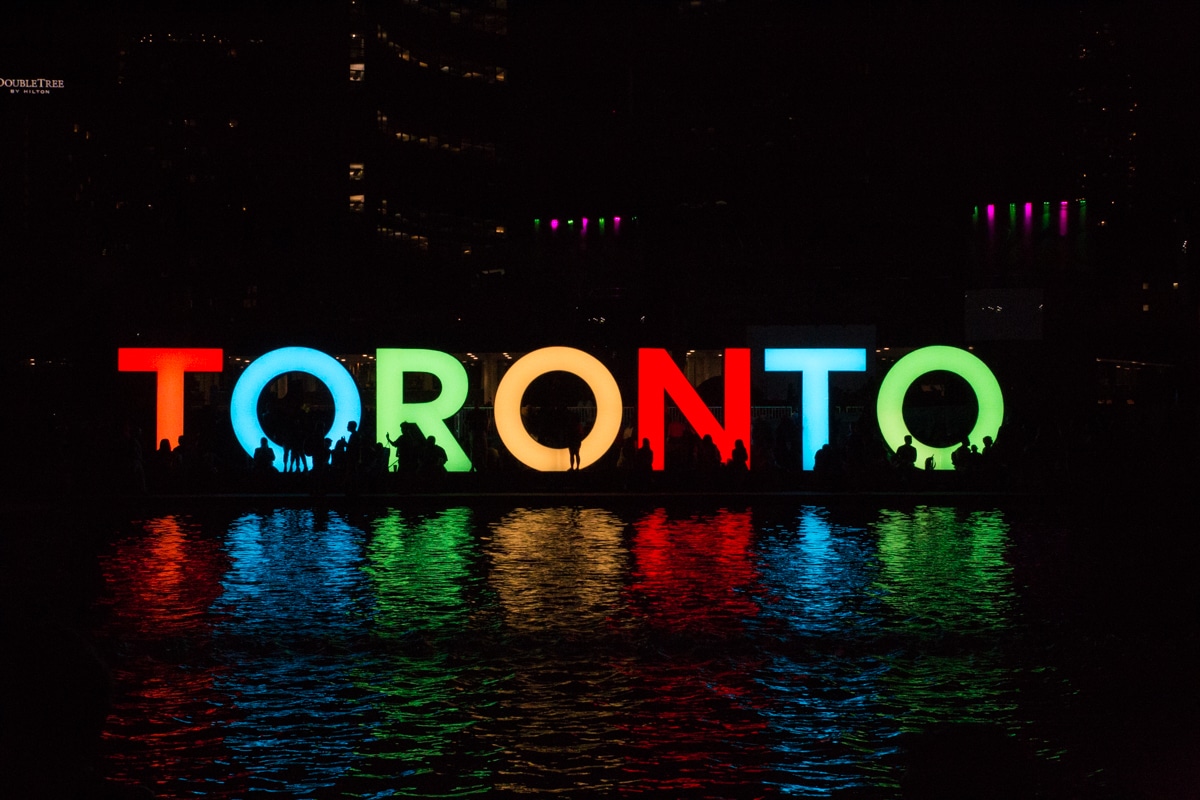
In this noise reduction test, we’ll see how difficult or easy it is to remove luminance and color noise using Photoshop and Topaz Photo AI.
The sample photo above was taken in Toronto at an ISO of 12,800 during the noise — a classic ISO setting over 10,000 with noticeable noise.
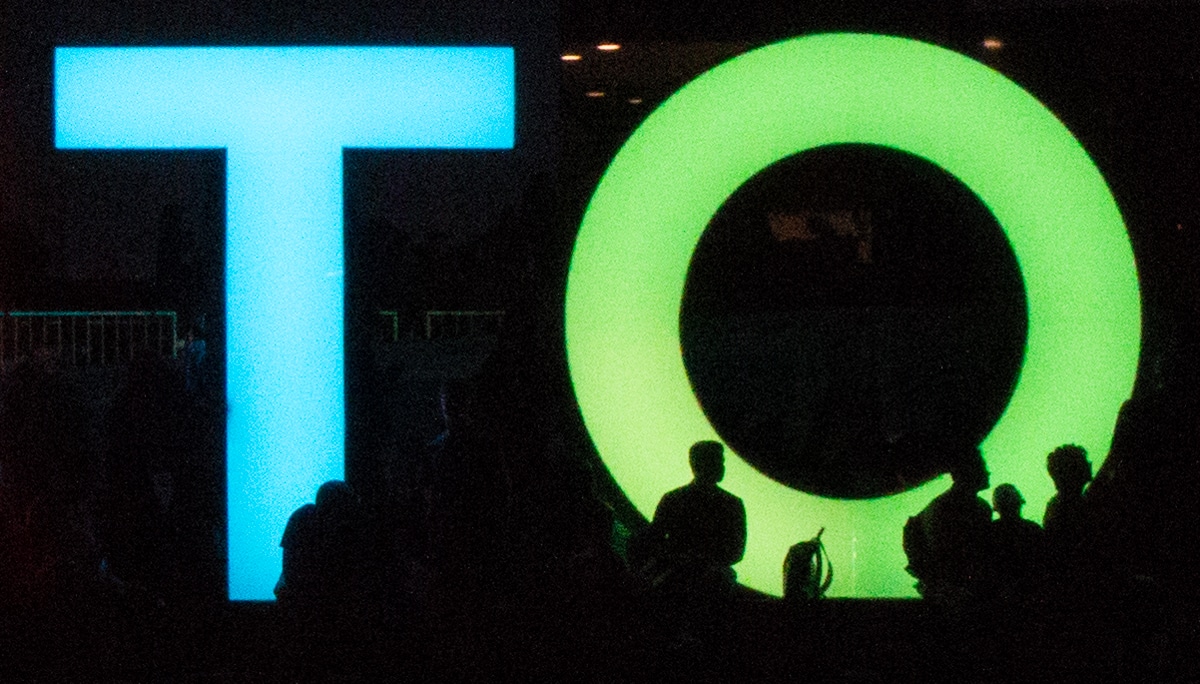
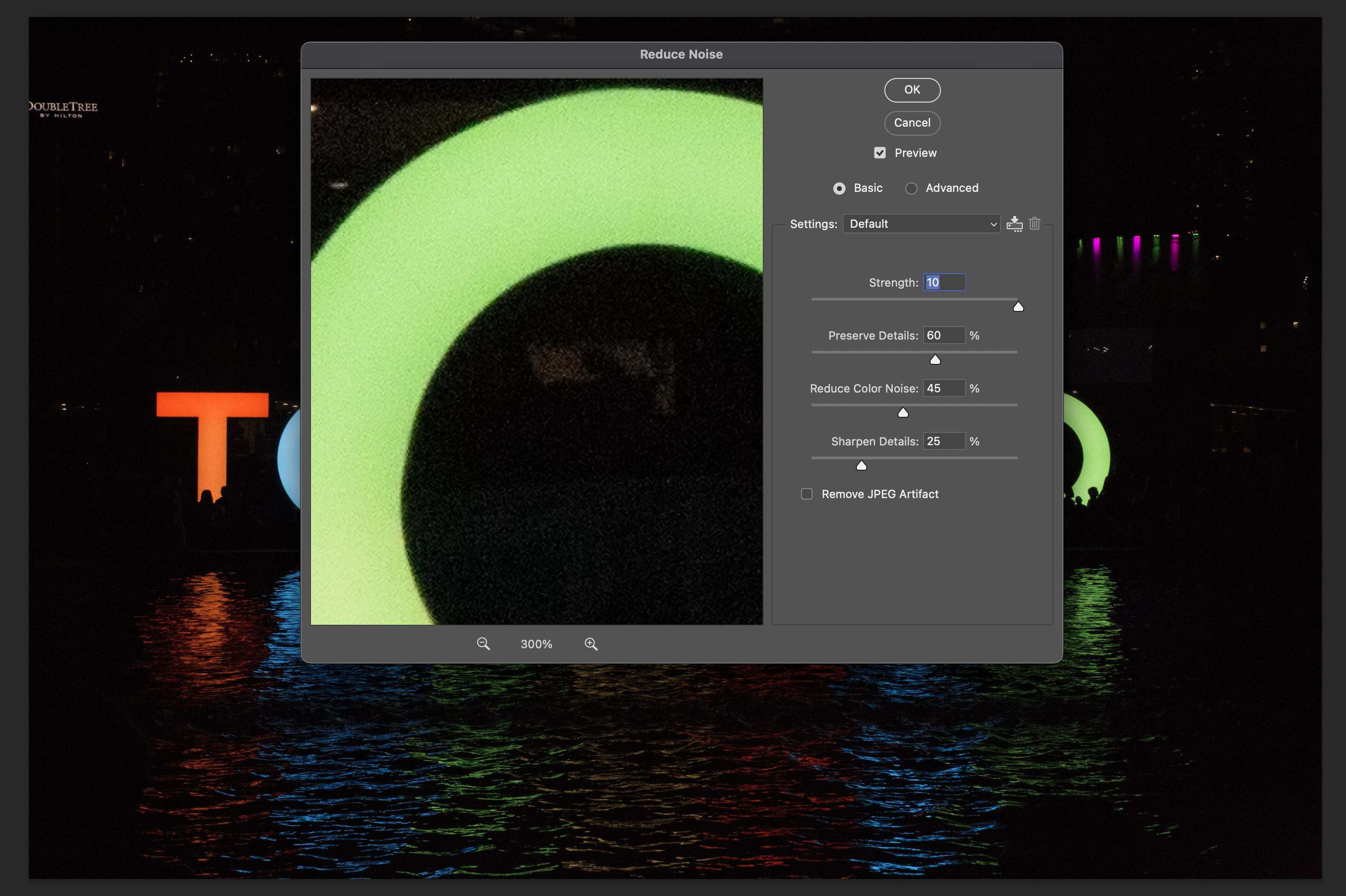
I used the Photoshop reduce noise filter and the Topaz Photo AI denoise tool.
One thing I didn’t do to these photos was sharpen them. That’s for the next test.
You can see in the Photoshop image below that it did a negligible job of noise reduction.
Whereas, Photo AI below, did a great improvement in reducing the noise.
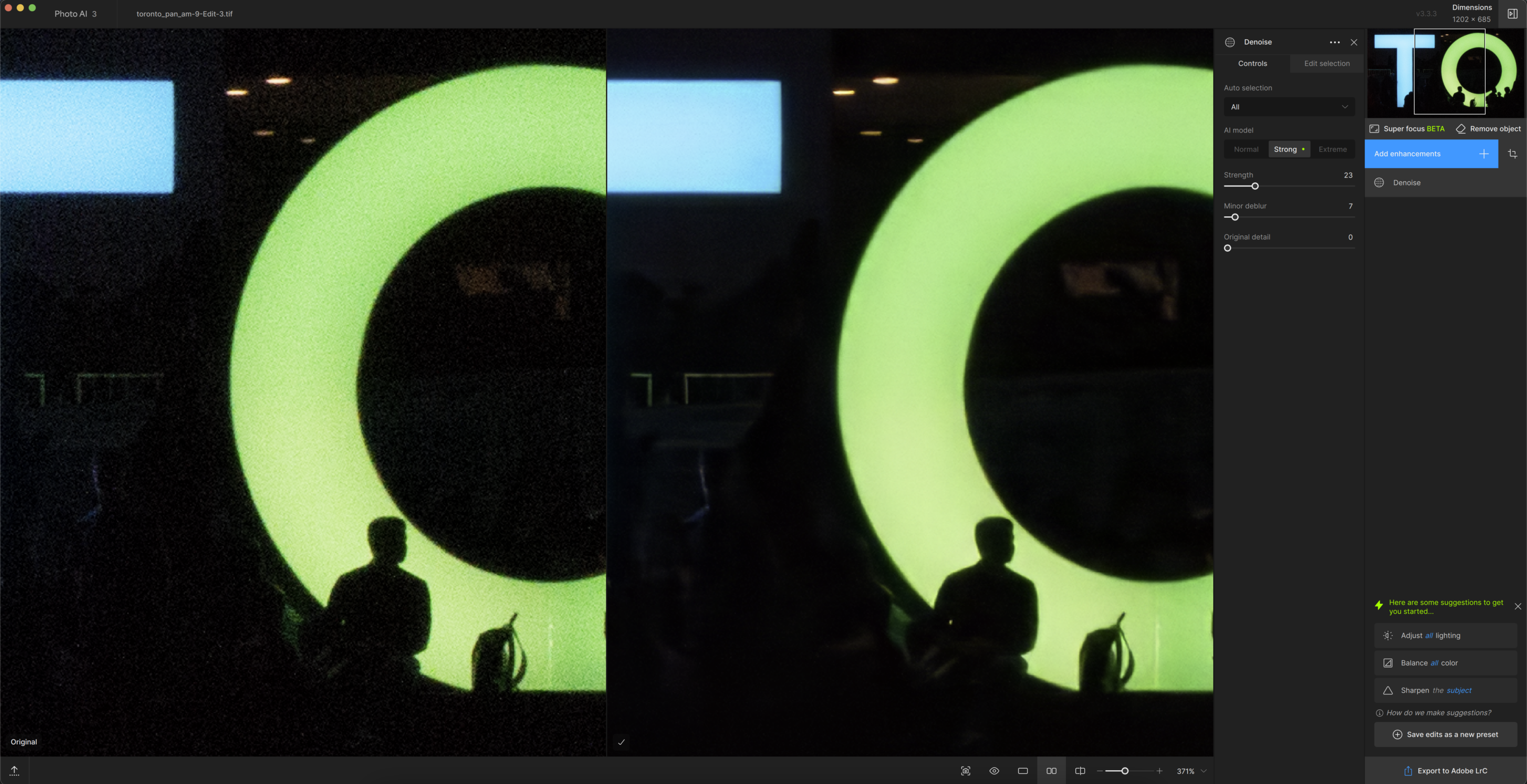
It was easy for me to determine that Topaz Photo AI 3 is better at noise reduction than Photoshop CC. It was also easier to use. The AI model automatically chooses the best noise reduction settings.
I decided not to upscale these images and show only the side-by-side, zoomed-in comparison of the noise reduction without any enhanced image enlargement. They are both 1202 pixels on the long edge.

Noise Reduction Winner: Topaz Photo AI 3
Image Sharpening
I photographed the below photo in Angkor Wat, Cambodia. I believe it’s a statue of a young Buddha.

You can see some slightly visible noise. I thought I wasn’t going to do any noise reduction, but that would make the sharpening test difficult because I would also be sharpening the noise. So, I’ll do a noise reduction first.
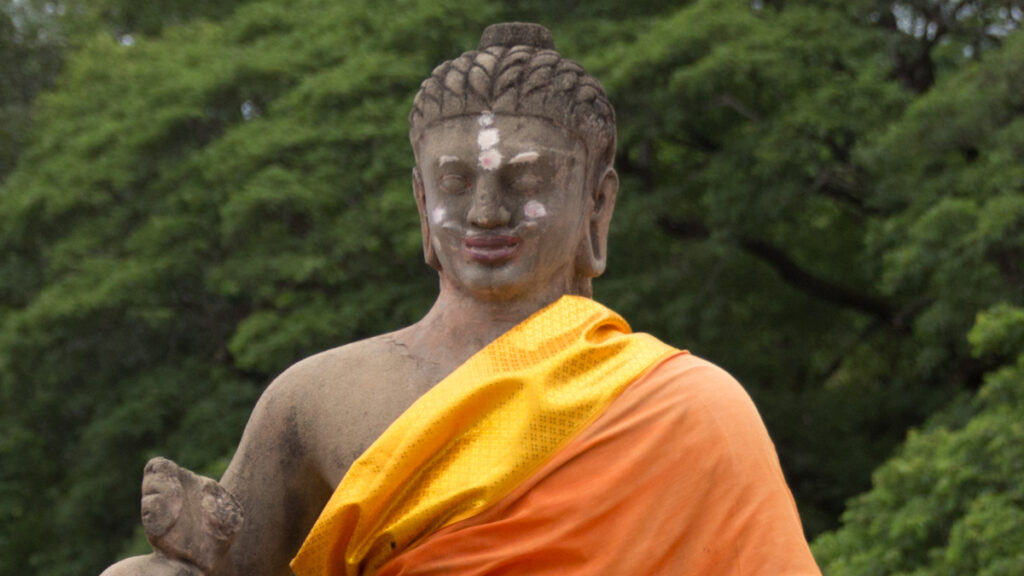
In Photoshop, I used the Smart Sharpen. You can see the image settings before. The good thing about sharpening in Photoshop is that it has many sharpening filters: Sharpen, Sharpen Edges, Sharpen More, Smart Sharpen, and Unsharp Mask. The bad thing is it doesn’t automatically apply a mask to the background to avoid sharpening the noise. You would need to do this manually, but there is an auto subject select mask.

Photoshop Smart Sharpen
On the other hand, Topaz Photo AI’s sharpening tool automatically applies a mask to the subject. You can remove the mask if you want. The sharpening results were quite similar to Photoshop CC, with the exception of the noise and background being incorrectly sharpened too.

Though you may not be able to tell by the image below, Topaz Photo AI’s sharpening is slightly better than Photoshop in this test. However, you would notice a greater difference with astrophotography.

Sharpening Winner: Topaz Photo AI
Image Upscaling
If you have old low-resolution images or are cropping in heavily, then you know those images will be pixelated, especially if you try to enlarge them and add new pixels.
We’ll now review Photoshop’s image enlargement tool and compare it with Photo AI.
The below photo was taken in Paracas, Peru. You notice the bird, right?

When I crop in, you can notice the blurriness and a real lack of sharpness in the image.
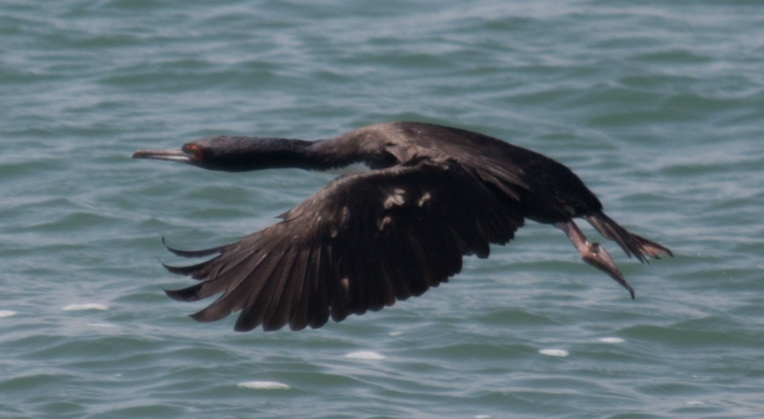
Below are the results after I upscaled the images four times in Photoshop and Topaz Photo AI. The image upscale of Topaz Photo AI is far superior, even though it may be difficult to notice on this page. Right-click on the image and view it in a new tab.
Photoshop doesn’t take into account the blurriness of the image when it upscales. It just upscales the image by creating new relative pixels.
On the other hand, Photo AI intelligently upscales the image while reducing blur and increasing sharpness. Keep in mind, I didn’t use Topaz Photo AI’s sharpen tool either.

Image Upscaling Winner: Topaz Photo AI 3
Final Thoughts
Photoshop is still the king of photography software; however, since Topaz Labs has dedicated tools for noise reduction, sharpening, and image upscaling, it does these tasks better and faster than Photoshop.
It’s not to say Photoshop can’t do these things better. With composites, layers, and masking, it’s possible to get the same results as Topaz Photo AI — but it’ll just take too long and waste precious photography workflow time.
The good news is Topaz Photo AI can be used as a plugin in Photoshop CC. So you get the power of Photoshop and the AI wizardry of Topaz Photo AI.
Related: Gigapixel AI Review