
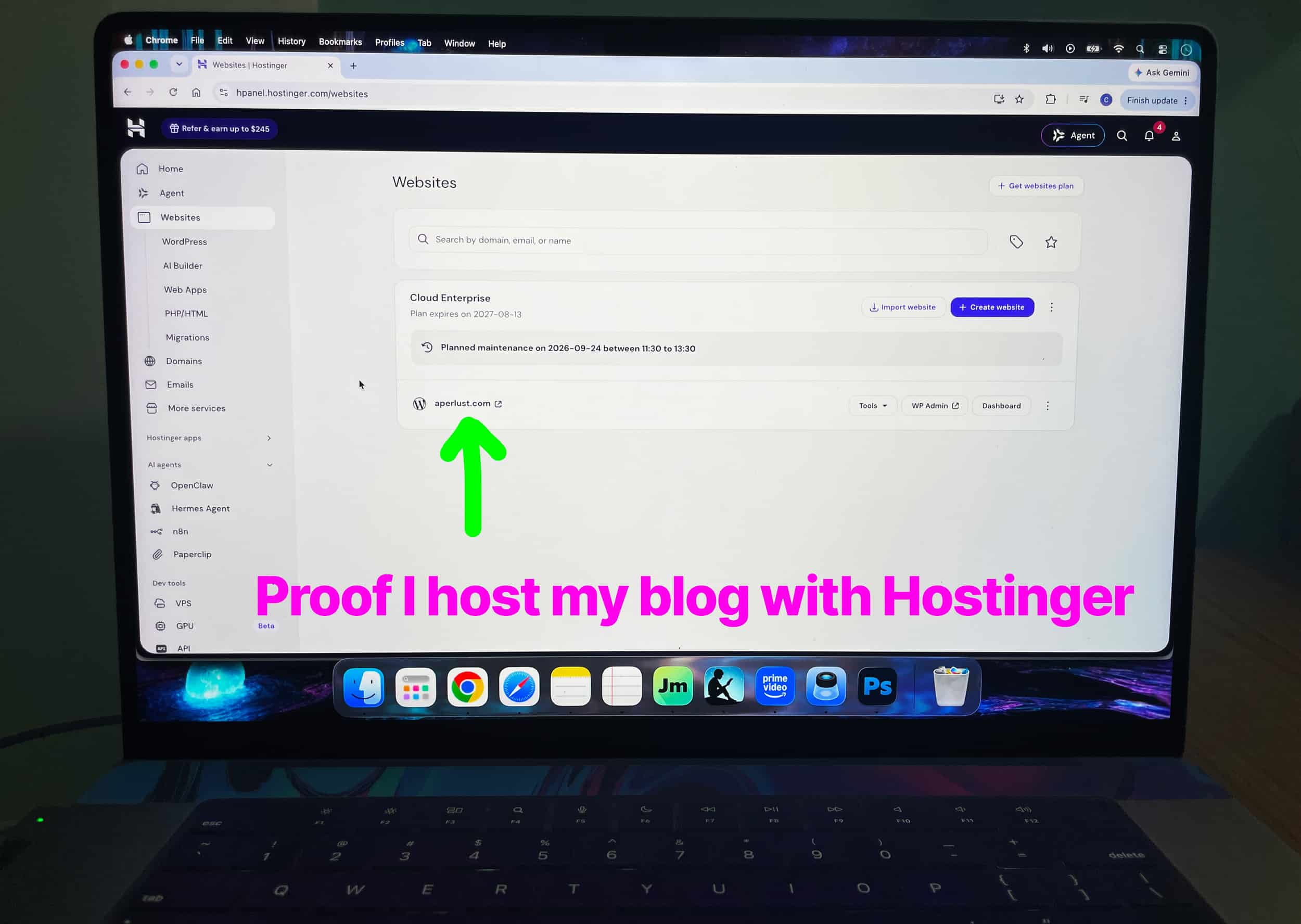
Bottom Line: My blog is hosted with Hostinger on the Cloud Enterprise plan, which is expensive at $29.99/month. For beginners building a WordPress website, I recommend one of their shared hosting plans starting at $2.99/month to save money. You don’t need the most expensive plan if you have no web traffic. Plus, Hostinger includes a professional mailbox and a free domain for the first year.
This year I moved my 11-year-old Aperlust blog to Hostinger. I needed faster hosting than my previous Flywheel Starter plan, so here we are.
Besides speed, I wanted to use a few other features: unlimited mailboxes for a year, which let me create a professional email @aperlust.com and save about $15 a year by not using another provider. I know it’s not much, but I’d rather allocate that money to my marketing budget.
And speaking of marketing, I’ve been getting more into email marketing since Google and YouTube and screw me over in terms of organic traffic. Mind you, I still haven’t tested Hostinger’s email marketing tools; that review is to come down the road.


But the feature that got me giggly is that Hostinger lets you deploy Node.js apps, including React. I’m not a coding expert, but I enjoy writing code and building apps with React. If you don’t know what Node.js and React are, don’t worry. I’ll focus this review for bloggers interested in Hostinger.
The one thing I need to get out of the way is that I’m not on Hostinger’s cheapest plan. I’m using their Cloud Enterprise plan at $29.99/month, which isn’t cheap. Saving that $15 for a mailbox looks more attractive now.
But I don’t recommend the Cloud Enterprise plan since most of you reading this Hostinger review are new to web design and hosting, blogging, and want to save money. I’ll focus on the cheaper plans, where you can still start a blog for under $100.
By the way, you can use coupon code APERLUST to save 10% on Hostinger hosting plans.
Why My Hostinger Review Is Different
Unlike many hosting plan reviews that just list features and run a speed test, I host this blog on Hostinger: a live, continually updated production website. I also teach how to set up blogs and hosting plans on my YouTube channel, along with writing online, making money as a blogger, and working as an online solopreneur.
You already know that Aperlust was previously hosted on Flywheel, but over the years, it’s been hosted on Cloudways, WPEngine, Kinsta, and more. So, I know a bit about hosting, debugging, and getting a website operational.
My Assessment of Getting WordPress Installed or Migrated on Hostinger

You already know I moved my website to Hostinger for speed, and you can see the performance scores above. So, let’s leave that.
For beginners, installing WordPress is easy with Hostinger’s one-click installation on its backend dashboard (hPanel). You pretty much just follow the instructions, whether you have your own domain or not.
I used the migration option to transfer my Aperlut website from Flywheel’s server to Hostinger. I had to provide my WP login and password. And as always, I have my domain registered with Namecheap and use Cloudflare DNS. Hostinger provided me with easy-to-follow instructions to set up my DNS, including the MX and TXT records to set up my @aperlust.com business email. You don’t have to set up your email with Hostinger.
Hostinger Premium vs Unlimited Plans: Which One Would I Choose?

This can be a bit tricky. The inclination is to go with the cheapest plan: the introductory Premium plan at $2.99/month. However, it’s a 48-month committment costing $143.52.
I recommend the 48-month Premium plan only if you already have a website with fewer than 1,000 visits a month. For beginners, the 12-month plan is $3.99/month ($47.88/annum), in case you give up on your website. This keeps your cost well below $100 for your blog, and it still includes the free domain for the first year.
However, the Premium plan is shared hosting, meaning server resources are shared among other website nerds. And if you have significant traffic, you’ll want a CDN (content delivery network), which the Premium plan doesn’t include, but the Unlimited plan does.
My server is located in a US data center. A CDN stores saved (cached) files around the world in different data centers so that website visitors will retrieve you website files from the closed data center. This means your website will load faster for them. Remember, many people in developing countries don’t have high-speed internet.
So, if you have a lot of website traffic, choose the Hostinger Unlimited plan instead of the Premium plan. Noobs can stick with the Premium plan.
Remember that the hosting renewal price is higher. The lower-tier Hostinger plans renew at $11.99/month, which you should keep in mind.
What’s Next for My Blog on Hostinger?
I’m currently testing and setting up email campaigns with PPC marketing. I’m going to try Hostinger’s email automation tools and see how they stack up against EmailOctopus, the email newsletter provider I am currently using.
Down the road, I want to get a few React apps up and running, maybe a color branding app.
Implementing, testing, and review the results of the above is time consuming unfortantely. But I’ll get it done eventually and write about it.
But the final verdict is that Hostinger is a great host if you’re running a WordPress blog as a beginner or expert. And at least they don’t upsell as many products as Bluehost. 🫠